Specification and SSH connection
The PTC cluster consists of 1 master node and 48 compute nodes now. There is no login server and the SSH connection to ptc.ibs.re.kr directs to the master node. All the machines are in the data center located on the ground floor of the experiment building in the IBS main site.
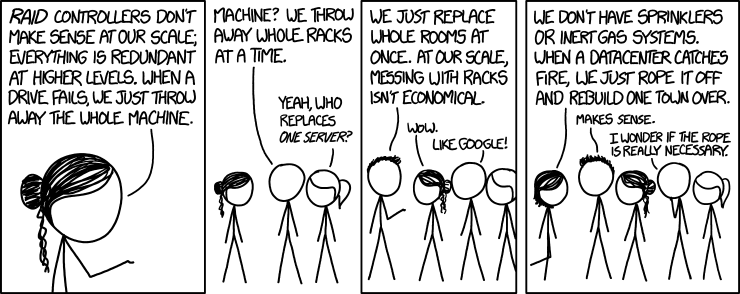 |
|---|
| xkcd, Datacenter Scale |
Hardware
CPU and memory
The master node has 1.6 GHz 6-core Intel Xeon CPU and 16 GB memory with 32 GB swap space. Note that the master node is not intended for hard computations or tasks, but for distributing and logging computing jobs to compute nodes. In most cases, you will run commands at the master node and the real computations will be performed by the compute node.
Each compute node has quite a number of CPU cores, 24 to 72 cores with clock speeds of 2.1 GHz to 2.8 GHz. The total accumulated number of CPU cores of all the compute node is 1992. The hyper-threading of CPU is disabled for all nodes. Each node has more than 64 GB memory.
To see the detailed information of the compute nodes, run
scontrol show nodes
Storage
The size of disk partition for the home directory is 22 TB. Moreover, 18 TB and 34 TB storage disks are attached and shared via the local network. They are mounted as /data and /bigdata, respectively. The disk space will be available upon request of the user. Due to a technical reason, /bigdata is not mounted on the compute nodes.
$ lsblk
NAME                MAJ:MIN RM  SIZE RO TYPE MOUNTPOINT
sda                   8:0    0  931G  0 disk
├─sda1                8:1    0    1G  0 part /boot
└─sda2                8:2    0  930G  0 part
  ├─centos_ptc-root 253:0    0  898G  0 lvm  /
  └─centos_ptc-swap 253:1    0   32G  0 lvm  [SWAP]
sdb                   8:16   0 21.9T  0 disk /home
sdc                   8:32   0 17.3T  0 disk /data
sdd                   8:48   0  931G  0 disk /nix
sde                   8:64   0 33.5T  0 disk /bigdata
sr0                  11:0    1 1024M  0 rom
Currently, the disk quota has not been set. Use /data or /bigdata if you need a space for storing data for a long time.
Software
The operating system of all the nodes is CentOS 7.4, and the installed softwares include
- coreutils 8.22,
- binutils 2.27,
- GNU Compiler Collection (gcc) 4.8.5,
- GNU C Library (glibc) 2.17,
- Python 2.7.5,
- Perl 5.16.3,
- GNU Emacs 24.3.1,
- gnuplot 4.6,
- Make 3.82,
- Maxima 5.41.0.
You can list the installed packages by running:
yum list installed
yum info will show the detailed information of the package, e.g., yum info gcc.
The physics softwares such as ROOT and Pythia are provided through Environment Modules. See the page of Environment modules. The more recent GCC's are also available using modules.
Note that Mathematica is not installed and it will never be since we have a dedicated workstation server for that. And, the Fortran 77 compilers such as g77 are not supported any longer. (The GNU Fortran compiler, gfortran, is available since it's part of GCC.) Update your codes or contact the application developer so that they can be compiled by modern Fortran compilers. The Intel C++ and Fortran compilers are not installed as they are non-free software and the budget of our center is limited.
SSH connection
Users can connect to the master node via SSH with port 4022:
ssh -p 4022 userid@ptc.ibs.re.kr
If a graphical user interface is necessary, it can be achieved using X11 forwarding:
ssh -X -p 4022 userid@ptc.ibs.re.kr
The machines assigned an IP address of the external network of the IBS building, starting with 10.10.24, can directly connect to the server using SSH. Meanwhile, the laptops or PCs using the wireless network (eduroam) in the IBS building as well as user's home network cannot connect directly without SSL VPN. The IT team of the IBS headquarter provides the SSL VPN client for Linux, macOS, and Windows OS. Should you need the SSL VPN account and the client, contact the administrator.
The SSH connection from the master node to compute nodes are not allowed unless there are active jobs on the nodes. See the srun --pty bash command in the job scheduler.
Files can be transferred to the server by using sftp, scp, or rsync.
If you see a message like
@@@@@@@@@@@@@@@@@@@@@@@@@@@@@@@@@@@@@@@@@@@@@@@@@@@@@@@@@@@
@    WARNING: REMOTE HOST IDENTIFICATION HAS CHANGED!     @
@@@@@@@@@@@@@@@@@@@@@@@@@@@@@@@@@@@@@@@@@@@@@@@@@@@@@@@@@@@
IT IS POSSIBLE THAT SOMEONE IS DOING SOMETHING NASTY!
when connecting to the server, remove the line beginning with ptc.ibs.re.kr in .ssh/known_hosts in your home directory and connect to the master server again.
User's password can be changed by running the passwd command.
What happens to CROWS?
As of May 2019, all the compute nodes of the CROWS cluster have been merged with the PTC cluster. See the output of scontrol show partition crows.